Sharing Access for ChatGPT Ads
- Once you’ve created your advertising account, you can easily grant us access directly in the settings.
-
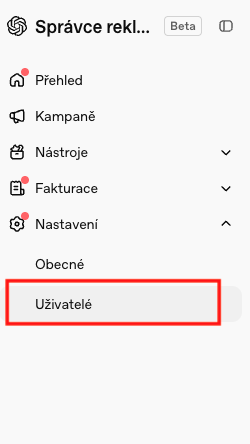
In the left-hand menu, click on “Settings” and select “Users”
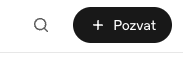
3. Click the large black “+ Invite” button
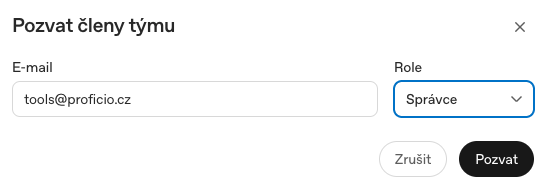
4. Next, enter the email address tools@proficio.cz and select the role administrator. Click “Invite.” If the invitation is successful, you’ll see a confirmation message, and we’ll receive an email with the invitation.